Configuring Payment Methods
- Navigate to Payment Methods: Go to the VTEX admin panel and access the payment methods section
https://{{account}}.myvtex.com/admin/pci-gateway/#/rulesor type payments in the Admin search box. - Add Payment Conditions: Click the
 button at the top right corner of the page to add a new Payment Condition.
 - Set Payment Provider that will process the Conditions: Configure the payment condition selecting the Provider created in the previous step
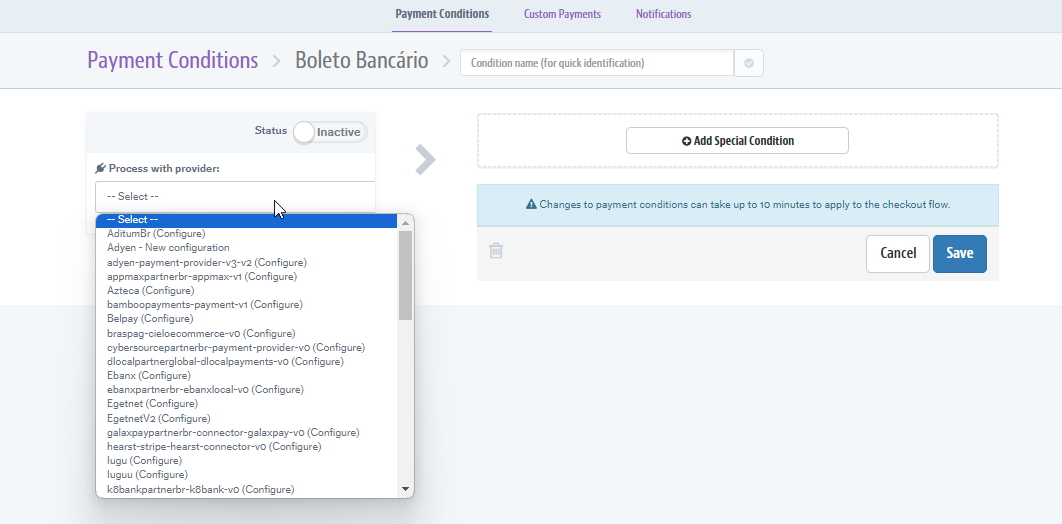 .
. - Set Payment Conditions such as installment options as per your business requirements.
- Activate Payment Methods: Ensure that the payment methods are correctly activated so they are visible to customers during checkout.
For detailed steps on configuring payment methods in VTEX, refer to VTEX Payments Configuration.
Important: Also, remember that to be able to provide a payment method to your customer, first this must have been enabled in your Adyen account. The instructions on how to do it are in this documentation.
Was this page helpful?