POS Terminal
To use the POS terminal integration with VTEX SalesApp, you must enable specific roles for your API credential in the Adyen Customer Area.
These permissions allow the connector to discover available terminals and stores linked to your account, ensuring they appear correctly in the SalesApp selection screen.
Configuring POS Roles
- In the Adyen Customer Area, go to Developers > API credentials.
- Select the API credential used for the VTEX integration.
- Scroll down to the Roles section and find the POS category.
- Enable the following roles:
- Management API - Stores read
- Management API - Stores read and write
- Management API - Terminal actions read
- Cloud Device API role
- Allow SDK download for POS Developers
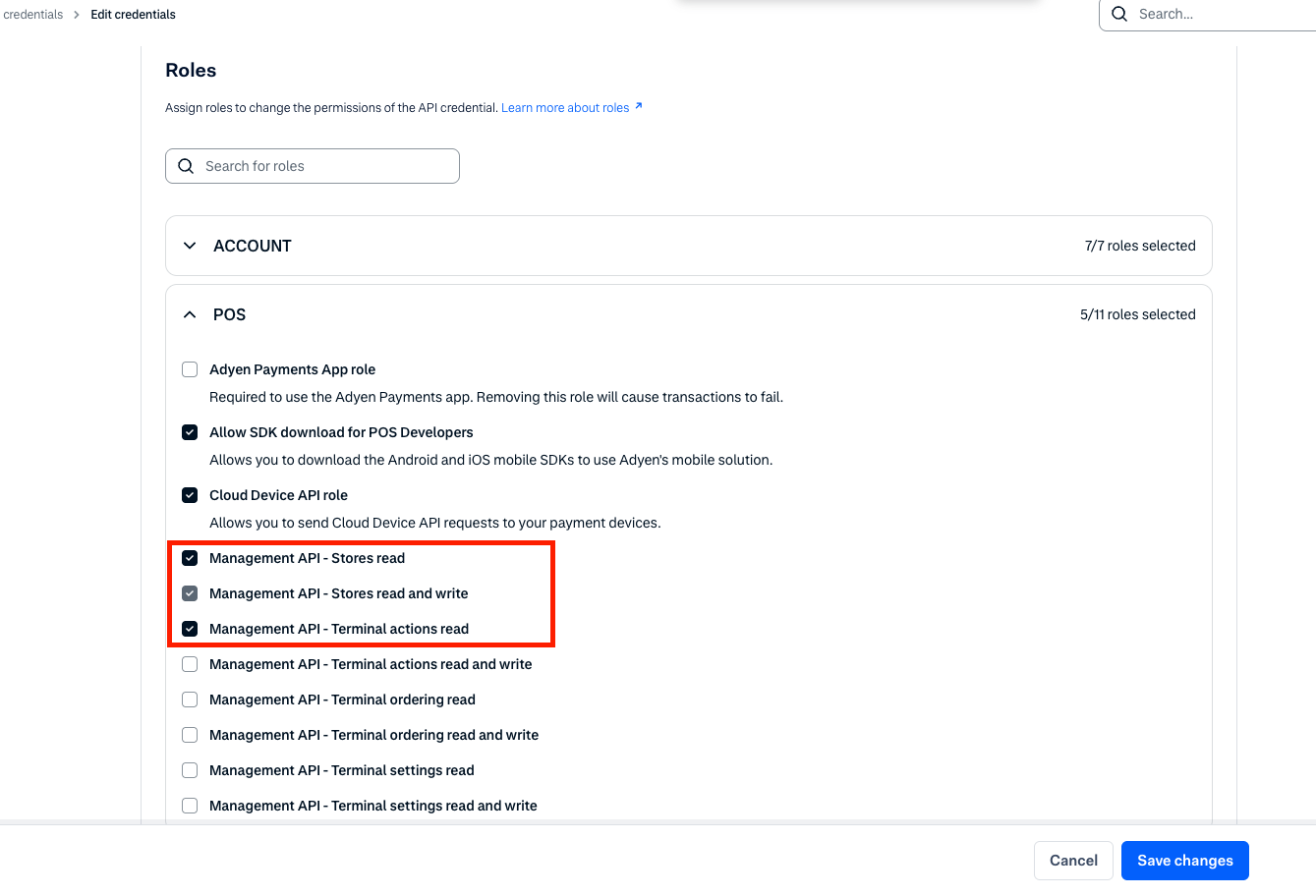
- Click Save changes at the bottom of the page.
Once these roles are enabled, the terminal should be available for configuration and use within the VTEX platform.
Was this page helpful?