PCI Role
For credit card payments to be processed correctly, the Web Service User requires a specific permission called API PCI Payments role. If this role is not enabled, transactions will fail with a 403 error.
This role must be requested from the Adyen support team by opening a ticket.
How to open the support ticket:
- Follow the instructions in the Adyen documentation to reach Adyen support.
- When creating the ticket, use the following details:
- Subject:
Enable API PCI Payments role - Description: Inform that you are configuring Adyen V3 on VTEX and provide the Web Service User you are using (this is the value from the Username field in the Adyen panel, e.g.,
ws_123456@Company.YourCompany).
- Subject:
This is the same user created in the API Key step.
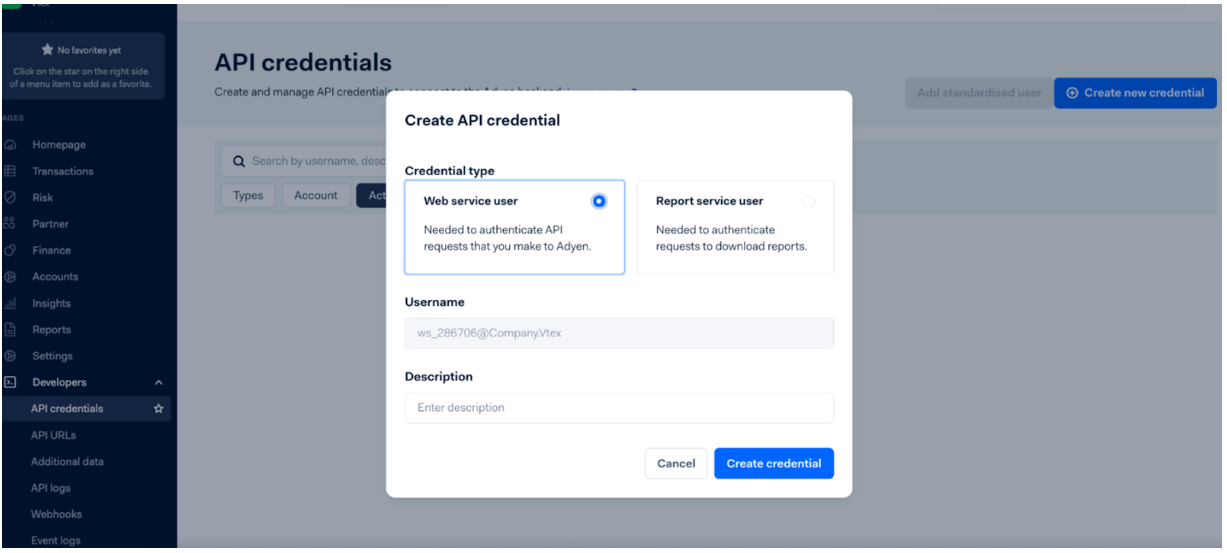
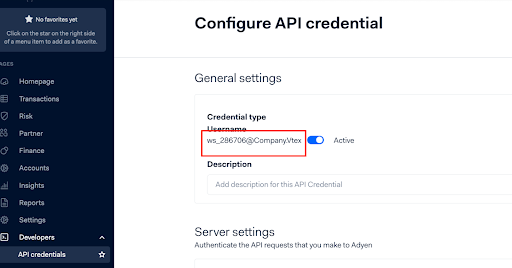
The username can also be found following the steps below: Go to your Adyen Customer Area; In the left side menu, click on “Developers” and then “API credential”; Select the username being used; Under the “General Settings” section you will find the full Username, copy this information and share it with the Adyen Support team in the ticket you’re creating.
Important: This step applies to Test and Live environments. Every time a new credential is created, the permission will need to be granted for that specific username as well.
Was this page helpful?