
Bancontact
CardsBancontact is Belgium's most popular payment method
- For this payment method to work, you need to make some specific configurations in the VTEX Admin Panel:
- Payment Method Configuration: Go to the VTEX admin panel and access the payment methods section
https://{{account}}.myvtex.com/admin/pci-gateway/#/custom-paymentsor type payments in the Admin search box and click on Custom Payments tab. - In the Custom Payments tab, click on a Config available under Private Label Cards
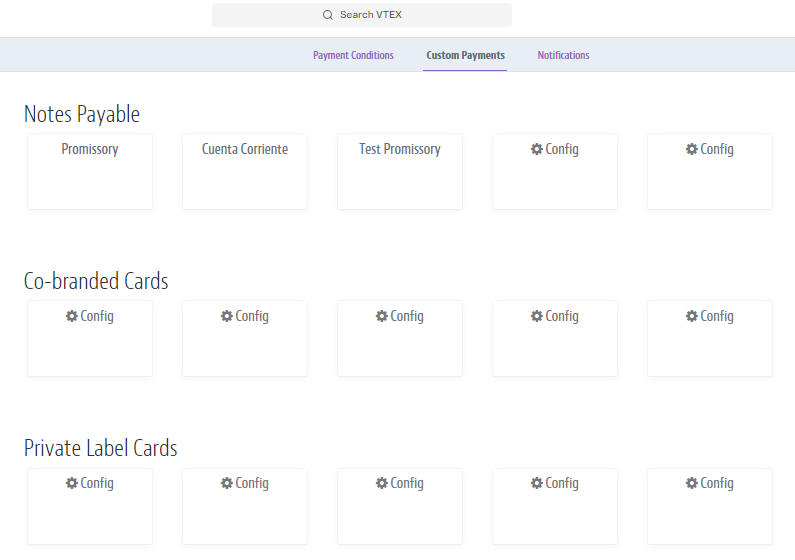 .
. - On the next scren fill the Name field with "Bancontact" (make sure the syntax is correct as this is the name of the payment method that will be sent in the Transactions)
- in Number of CVV Digits field, set to not required
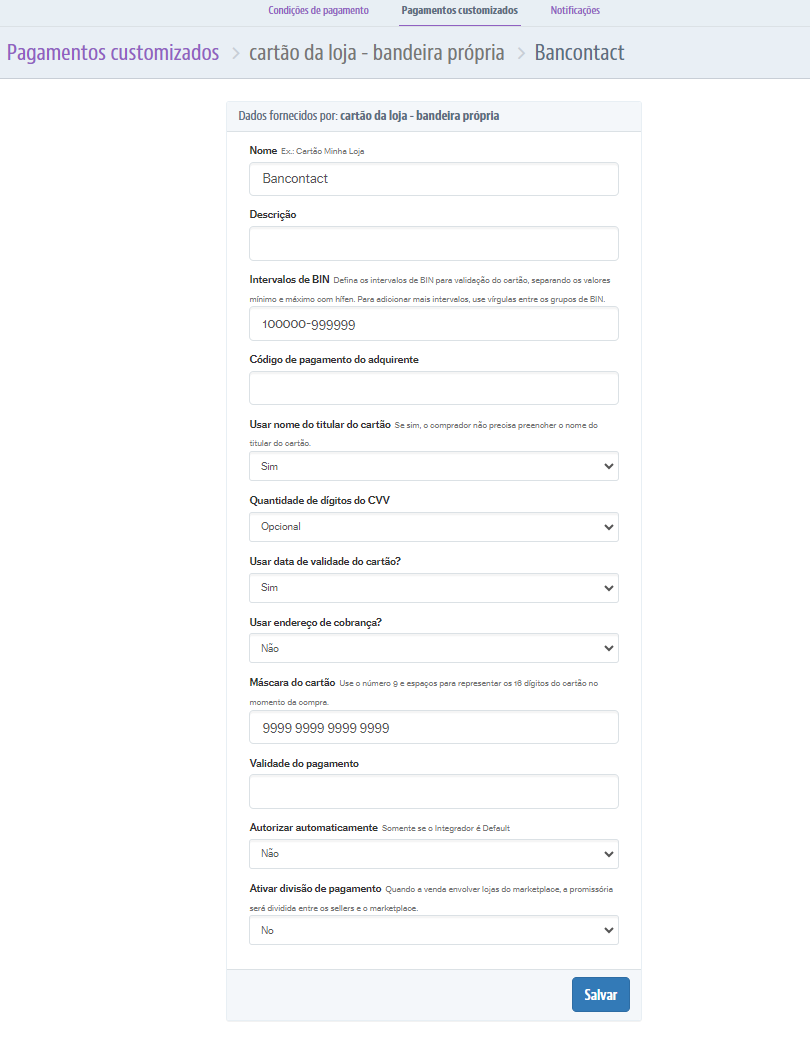
- Leave the other fields values unaltered.
- Click Save to save the configuration.
- After saving the configuration, you will be automatically redirected to finish the setup in the following screen Payment Condition:
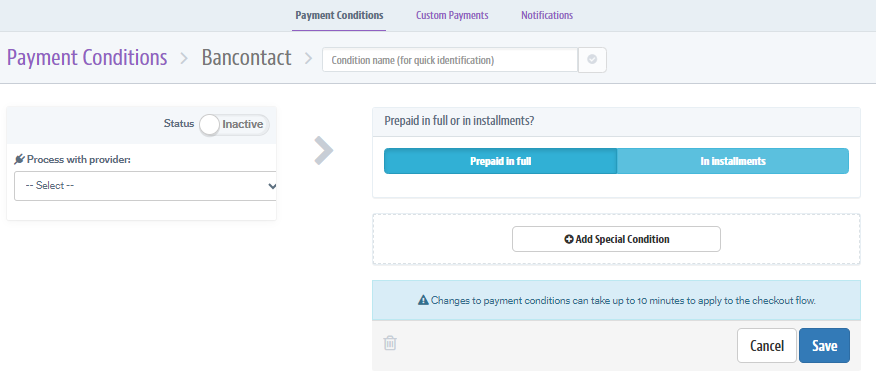
- In the Payment Condition screen, fill the Condition Name
- Select the Provider for Adyen in the Process with provider dropdown
- Change the Status to "active"
- Click Save at the bottom right of the screen
- After saving the Payment Condition,"Bancontact" will be available for use under the "Credit Card" and "Debit Card" options in the checkout.
- Payment Method Configuration: Go to the VTEX admin panel and access the payment methods section
Was this page helpful?