
US Debit
Cards, US Debit networksRoute US-issued debit cards over Pulse, STAR, NYCE, Accel, or Maestro USA with Adyen Intelligent Payment Routing
US Debit is not a separate payment method in VTEX Checkout. Shoppers continue to pay with Visa, Mastercard, or Discover. US-issued debit cards are co-badged with back-of-card networks (Pulse, STAR, NYCE, Accel, Maestro USA). When Adyen Intelligent Payment Routing (IPR) is enabled, Adyen can route eligible debit traffic over those networks to lower cost and improve approval rates.
The connector supports this for ecommerce cards when the payment is in USD and the billing country is US or PR: it omits fundingSource so Adyen can BIN-detect credit vs debit. Checkout flags stay Visa / Mastercard / Discover. Do not register Pulse, STAR, Accel, or NYCE as VTEX payment conditions.
Note: Without US Debit methods or IPR on the Adyen account, payments still authorize as normal Visa / Mastercard / Discover credit or debit. IPR is an optimization, not a requirement for authorization.
Set up US Debit in the Adyen Customer Area
-
Open your Adyen Customer Area (test) or live CA and select the same merchant account configured in the VTEX AdyenV3 provider (App Key).
-
Go to Payments > Payment methods.
-
Confirm that Visa, Mastercard, and Discover are Active for USD and the United States.
-
Click Request payment methods.
-
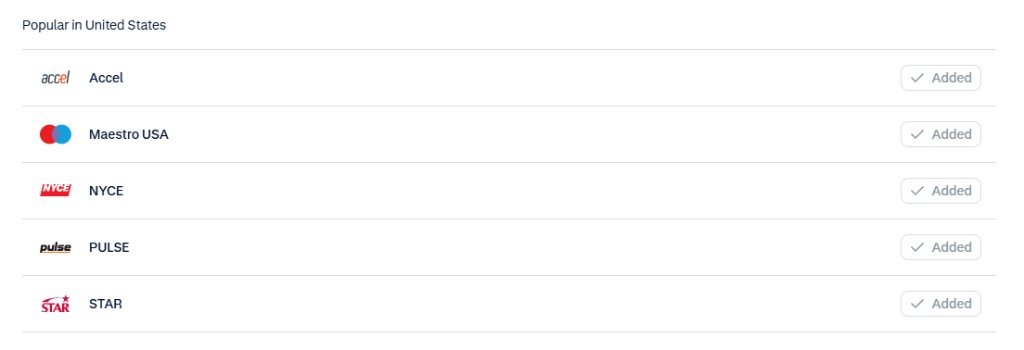
Filter by United States (or search by name) and request:
- PULSE
- STAR
- NYCE
- Accel
- Maestro USA (if available)
-
Apply the methods to This merchant account, review, and Submit request.
-
Wait until the methods show as Active (this can take up to about a day; Adyen may need to approve the request).
For general steps on adding payment methods, see Manage payment methods in your account.
Enable Intelligent Payment Routing
Intelligent Payment Routing for US Debit is enabled on the Adyen account (not as a VTEX checkout option). Contact Adyen Support or your Adyen account manager and ask them to enable Intelligent Payment Routing for US Debit on your merchant account for ecommerce.
Set up in VTEX
No new VTEX payment method is required. Use the existing card conditions:
- Ensure payment conditions for Visa, Mastercard, and/or Discover are active and processed with the AdyenV3 provider.
- Process orders in USD with billing address country United States or Puerto Rico.
Shoppers must not see Pulse, STAR, Accel, or NYCE as separate checkout options. Those networks are selected by Adyen after the shopper pays with Visa / Mastercard / Discover.
Business Rules
Payment Flow
- The customer selects Visa, Mastercard, or Discover at VTEX Checkout and enters the card details. Even if the shopper pays with a debit or credit card, Adyen routes the payment correctly.
- For USD + billing US/PR, the connector sends the card payment to Adyen without
fundingSource. - Adyen looks at the BIN:
- Credit → processes as credit on Visa / Mastercard / Discover.
- Debit → can route over Pulse, STAR, NYCE, Accel, or Maestro USA when those methods and IPR are enabled.
- Adyen returns the authorization result (the payment method variant may show values such as
pulse_pinless,star,accel, ornyce). - Capture, cancel, and refund follow the existing card flow.
Specific Rules
- Scope: Ecommerce cards only. Apple Pay, Google Pay, and POS / Sales App are out of this configuration.
- Eligibility: Only US-issued debit cards (and PR under the same connector rule) can use US Debit network routing. Brazilian, EU, and other non-US cards are unchanged.
- Tokenized cards: Already omit
fundingSource; no extra VTEX setup.
Was this page helpful?